Create Personalized Keepsakes with Editable Bookmark Templates
Beyond the Page: Designing a Tangible Brand Asset
In the realm of digital design, the ability to bridge the gap between a screen-based idea and a physical object is a powerful skill. We often focus our creative energy on web design, social media graphics, and digital brand identity, but some of the most impactful brand touchpoints are the ones people can hold in their hands. This is where the real-world value of high-quality design assets comes into play. A well-designed physical item, like a custom bookmark, can serve as a miniature billboard for your brand, a thoughtful gift, or a beautiful piece of personal art that enhances the reading experience.
The challenge has always been the friction in the creation process. You might have a brilliant concept, but translating it into a print-ready file with proper dimensions, bleed lines, and compatible formats can be a technical hurdle. This is precisely the problem that a versatile set of bookmark templates solves. Instead of starting from a blank canvas in your design software, you begin with a professionally structured foundation. These templates provide the essential framework—the shape, size, and layout guides—allowing you to focus entirely on the creative expression: the color palette, the typography, the imagery, and the overall personality you want to convey.
Anatomy of a Professional Bookmark Template Set
When you invest in a premium set of bookmark templates, you're not just getting a single file. You're acquiring a complete toolkit designed for maximum flexibility and professional results. A high-quality package is built to integrate seamlessly into your existing workflow, regardless of the software you prefer. Let's break down what makes such a set so valuable.
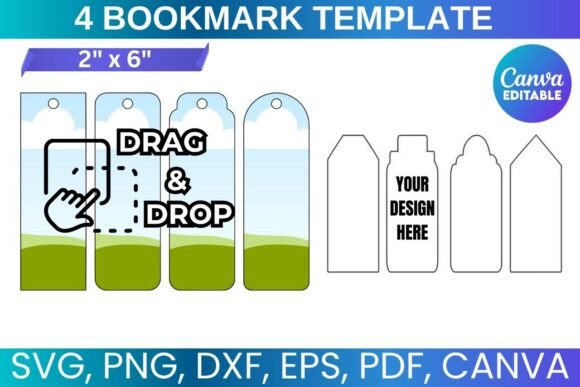
The cornerstone of this versatility is the inclusion of multiple file formats. A standard 8.5"x11" paper layout is common, but the files within that layout are what matter. You'll typically find:
- SVG and DXF files: These are vector formats, essential for anyone using cutting machines like a Cricut or Silhouette. They allow the machine to precisely cut the bookmark shapes from cardstock or other materials, a game-changer for crafters and small business owners creating handmade products.
- PDF files: Often provided with a solid white background, these are perfect for straightforward printing at home or with a professional print service. They ensure your final product looks exactly as you designed it.
- PNG files: With a transparent background, these are incredibly useful for digital mockups or for layering the bookmark design onto other graphics in programs like Adobe Photoshop.
- A Canva Editable Template Link: This is perhaps the most accessible feature. Canva's drag-and-drop interface makes customization intuitive for everyone, from seasoned designers to complete beginners. You can change colors, swap out fonts, upload your own photos or logos, and add text without needing to install any software.
This multi-format approach ensures that whether you are a publisher looking to create promotional materials, a blogger designing a reader gift, or an entrepreneur building a product line, the template adapts to your needs. The "drag and drop" nature of the Canva template, in particular, democratizes the design process, empowering anyone to create a professional-looking bookmark in minutes.
From Personal Project to Commercial Product
The true strength of these editable bookmark templates lies in their application across a wide spectrum of projects. They are not just a single-use design asset; they are a launchpad for creativity. The ability to create something unique and personalized opens up numerous possibilities.
For Personal and Gift Use
Think beyond a simple strip of paper. A personalized bookmark can be a meaningful gift for a book club, a teacher, or a friend who loves to read. You could incorporate a favorite quote, a cherished photo, or a design that reflects a shared interest. For authors and publishers, they are an ideal companion piece for a book launch, serving as a memorable promotional item that readers will actually use. A beautifully designed bookmark keeps your brand or story top-of-mind every time a reader opens their book.
For Small Businesses and Entrepreneurs
If you sell handmade goods, stationery, or art prints, a custom bookmark can be a perfect addition to your product line or a value-add for customer orders. Imagine including a branded bookmark with every shipment—it's a small touch that elevates the customer experience and reinforces your brand identity. You could design a series of bookmarks featuring your artwork, creating a collectible set that encourages repeat business. The included SVG and DXF files make it simple to produce these at scale using a cutting machine, turning a creative idea into a viable commercial product.
For Marketers and Content Creators
In a crowded digital landscape, physical marketing materials can have a significant impact. A well-designed bookmark can be used as a direct mail piece, a trade show handout, or a package insert. It's a functional item that provides value, ensuring it won't be immediately discarded like a flyer. For bloggers and online creators, a bookmark can be a fantastic tool for growing an email list. Offer a free, beautifully designed printable bookmark to your audience in exchange for a newsletter signup, providing them with a tangible piece of your brand.
Key Considerations for a Flawless Final Product
While these templates provide an incredible head start, a successful outcome still depends on thoughtful execution. Here are some practical recommendations for getting the most out of your editable bookmark templates.
- Choose the Right Paper Stock: The feel of the bookmark is just as important as its look. Standard printer paper is too flimsy. Opt for a heavier cardstock, typically in the 80lb to 110lb range, for a durable and professional result. A matte or satin finish often works best for readability.
- Master Your Typography: A bookmark has limited space, so your font choices are critical. Pair a beautiful display font or script font for a headline with a highly legible sans serif font for any smaller text. Ensure there is enough contrast between the text and the background for easy reading. Good font pairing creates a clear visual hierarchy.
- Test Your Design: Before printing a large batch, always print a single test copy. This allows you to check the colors, the alignment of the text, and the overall feel of the design in your hand. What looks good on screen can sometimes feel different in print.
- Understand the Licensing: The provided templates are licensed for personal use and for creating physical products for sale. This is a crucial distinction. You can sell the finished, printed bookmarks you create, but you cannot resell, share, or transfer the digital template files themselves. This protects both the creator and your business.
Ultimately, these bookmark templates are more than just a set of files; they are a practical tool for creating lasting connections. They empower you to produce a high-quality, personalized item that serves a real purpose, blending modern typography