Your Blank Canvas for Garden Flags: 2 Sizes Canva SVG Templates
Instant Design Freedom, No Shipping Required
There's a unique thrill in starting with a blank slate. For crafters, designers, and small business owners, that clean canvas is where creativity begins. The 2 Sizes Garden Flag Canva SVG Templates deliver exactly that—a foundational design asset stripped of pre-set graphics, waiting for your vision. This isn't a finished product; it's a starting point. Think of it as a set of precise, digital die-cuts in two popular garden flag dimensions, ready to be filled with your text, illustrations, or brand elements.
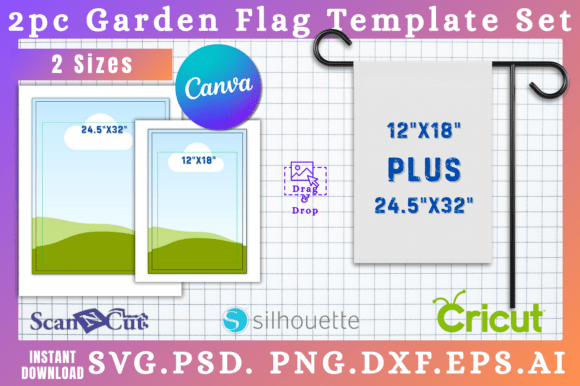
The appeal lies in its simplicity and versatility. The templates come in six file formats, a practical suite that covers the major creative software ecosystems. You get SVG files for vector-based cutting machines like Cricut and Silhouette, PSD for Photoshop layers, PNG with transparent backgrounds for easy compositing, DXF for Silhouette Studio's native format, PDF for print-ready proofs, and a direct Canva Link. That last one is a game-changer for accessibility. It means anyone with a free Canva account can immediately start editing, dragging and dropping elements without needing advanced software or a steep learning curve. The core value is removing technical barriers, letting you focus purely on the design.
Where This Template Shines: Real-World Applications
So, what do you actually do with a blank garden flag template? The applications are more diverse than you might think, spanning personal projects, community initiatives, and commercial branding.
For small business owners and entrepreneurs, this is a nimble branding tool. Imagine a local bakery creating seasonal flags: "Fresh Pies Daily" for summer, "Warm Cider Here" for autumn. A real estate agent could design a professional "SOLD" flag or a neighborhood welcome flag with their contact info. The template ensures consistent sizing across prints, reinforcing brand recognition. The ability to use the SVG file in Cricut Design Space or Silhouette Studio means you can produce these flags in-house for pop-up events or client gifts, controlling quality and cost.
Content creators, bloggers, and publishers can leverage these templates for visual merchandising. A gardening blogger might create a flag featuring their website URL or a catchphrase for their YouTube backdrop. An author could design a flag with a book cover or series logo for book signings. The Canva Link makes this particularly straightforward, allowing for quick mockups to share on social media or integrate into digital product listings.
For crafters and hobbyists, the possibilities are purely personal and celebratory. Design flags for family reunions, welcome signs for new homeowners, or seasonal decor that reflects your own style. The two-size option gives you flexibility—a smaller flag for a flower pot marker, a larger one for a front yard statement. Using the PSD or PNG files, you can layer complex illustrations or photos onto the flag shape, creating truly custom artwork.
Making It Work: Practical Design Considerations
Having the template is one thing; using it effectively is another. Here’s how to approach your project for professional results.
First, consider the viewing distance. A garden flag is typically seen from a few feet away, not up close. This prioritizes visual hierarchy and simplicity. Choose a bold, legible display font or a clean sans serif font for main text. If using a script font or handwritten font, ensure it has strong, clear letterforms. Avoid intricate details that will blur at a distance. The blank template is your guide; its shape should inform your layout, keeping key elements centered and within the printable margins.
Next, think about brand consistency. If this flag is for a business, it should feel like a natural extension of your existing brand identity. Pull colors, fonts, and logo elements from your style guide. The template's value multiplies when it helps you extend your brand into physical space seamlessly. Test your design by printing a small proof or viewing it on screen at a reduced size to check readability.
Finally, understand the file workflow. Your process will differ based on your tools. A Canva user will click the link, customize text and graphics within Canva's editor, and then download a PNG or PDF for printing. A Cricut user will import the SVG into Design Space, add their design layers, and send the cut file to their machine. The template is the foundation, but your software and printing method are the construction tools. Ensure you have the right equipment or a plan for outsourcing the final print.
A Note on Licensing and Final Thoughts
As with any digital design asset, it's crucial to understand the terms. This is a commercial font-style template, meaning you typically pay once and can use the resulting designs for commercial purposes—like selling finished flags—without recurring fees. However, you cannot resell or redistribute the template files themselves. Always review the specific license included with your purchase to ensure your intended use, whether personal or commercial, is covered.
The 2 Sizes Garden Flag Canva SVG Templates